
When it comes to WordPress, one often-overlooked component is the slug. Understanding what a slug is and how it affects your site’s SEO and user experience is essential for creating well-optimized content. In this guide, we’ll walk you through everything you need to know about WordPress slugs, from defining them to understanding their importance in SEO.
By the end of this article, you’ll have the tools to optimize WordPress slugs for better search engine rankings and user engagement.
What Is a WordPress Slug?
A slug in WordPress refers to the part of a URL that identifies a specific page, post, or category. It’s the last portion of the permalink, typically derived from the title of the post or page. For example, in the URL https://www.example.com/wordpress-slug-seo, the slug is wordpress-slug-seo.
Slugs are an essential element of the URL structure in WordPress and play a major role in both SEO and user navigation.
Why WordPress Slugs Matter for SEO
Slugs have a significant impact on your site’s SEO performance. A SEO-friendly slug can improve your page’s ranking in search engines, enhance the click-through rate (CTR), and make your URLs more user-friendly.
Here’s how:
- Improved Readability: Well-structured slugs are easy to read and understand. This is beneficial not only for search engines but for your audience as well.
- Search Engine Rankings: Search engines like Google consider the slug as part of the URL structure when ranking pages. Including relevant keywords in your slug increases the chances of your content appearing in search results.
- User Experience: A clean and descriptive slug helps users easily identify the content of the page, increasing the likelihood they will click on it.
Best Practices for Creating SEO-Friendly Slugs
Creating a SEO-friendly slug is easier than you might think. Follow these simple practices to optimize your slugs:
- Keep Slugs Short and Descriptive: Make sure your slugs are relevant to the content and easy to read.
- Use Hyphens Instead of Underscores: Hyphens (
-) are preferred over underscores (_) to separate words in a slug. For example, usebest-wordpress-pluginsrather thanbest_wordpress_plugins. - Use Lowercase Letters: Always use lowercase letters in your slugs. This improves readability and prevents any confusion with uppercase letters.
- Avoid Stop Words: Words like “and,” “the,” or “of” are generally unnecessary and should be avoided in slugs. Keep the slug concise.
Slug vs Permalink: What’s the Difference?
It’s easy to confuse slugs and permalinks, but they are two different components of the URL.
- A permalink is the full URL that points to a specific page or post, including the domain name (e.g.,
https://www.example.com/wordpress-slug-seo). - The slug, on the other hand, is only the final segment of the permalink (e.g.,
wordpress-slug-seo).
Both slugs and permalinks are important for SEO. However, slugs are specifically responsible for representing the content on the page and making it easier for search engines and users to understand.
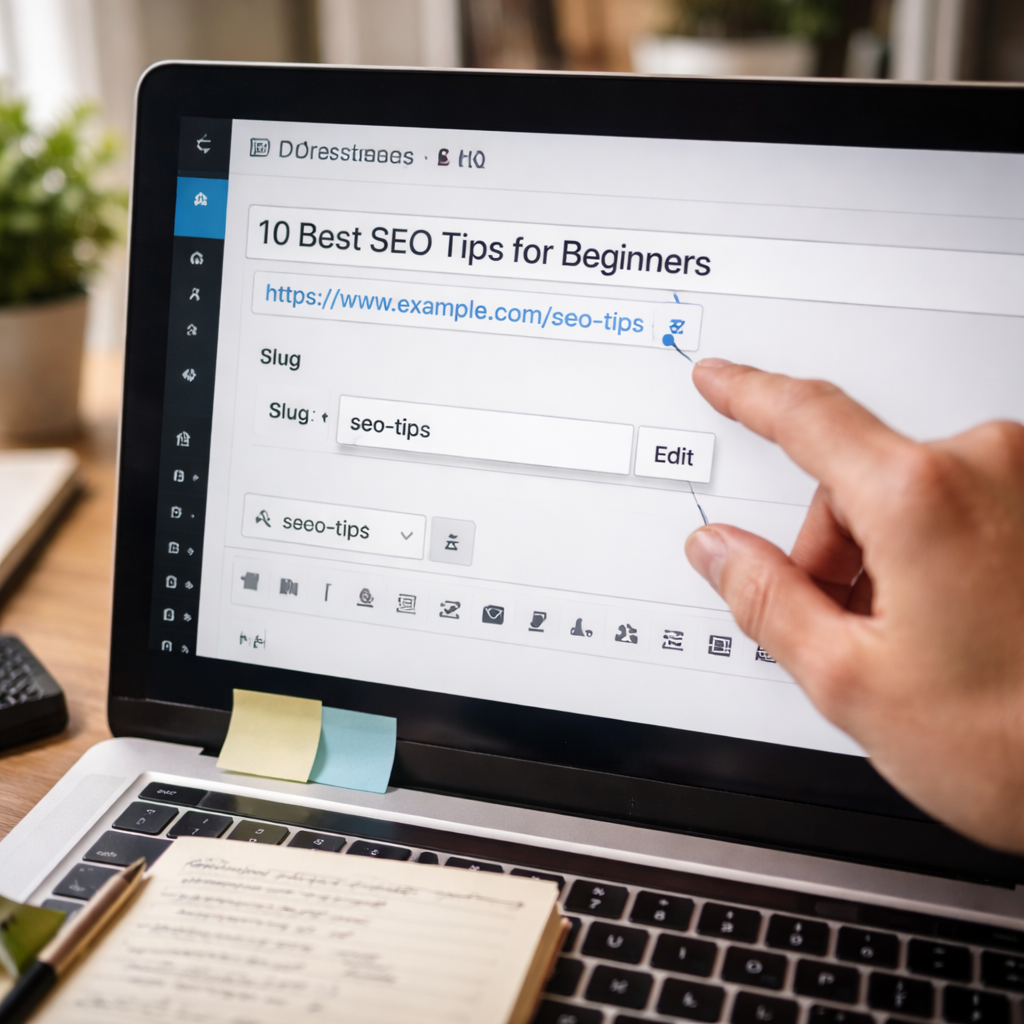
Editing and Customizing Slugs in WordPress
WordPress allows you to edit and customize your slugs. By default, slugs are automatically created based on the post title. However, you can easily modify them to suit your SEO goals.
Here’s how to edit a slug in WordPress:
- Open the Post/Page Editor: When editing a post or page, you’ll see the option to change the slug in the Permalink section.
- Make the Necessary Changes: If the default slug doesn’t accurately reflect the content, change it to something more relevant and concise.
- Save Changes: Once you’ve updated the slug, click Update to save your changes.
Tip: Always be cautious when editing slugs for existing posts, as changing them can lead to broken links. Use 301 redirects to ensure users and search engines are directed to the correct page.
Slug Optimization for Better SEO Rankings
Optimizing your slugs can directly impact your SEO rankings. Here’s how:
- Include Target Keywords: Whenever possible, include relevant keywords in your slugs. This makes it easier for search engines to understand what your page is about.
- Be Descriptive: Avoid vague slugs. Instead, create descriptive slugs that give users an idea of the content they’ll find on the page.
- Avoid Duplicates: Ensure that your slugs are unique to avoid issues with duplicate content. For instance, if you have multiple pages on similar topics, be sure to differentiate the slugs.
By following these optimization strategies, you’ll improve your rankings and enhance your page’s performance in search engines.
How to Structure WordPress Slugs for Maximum Impact
The structure of your WordPress slugs plays a key role in both SEO and site architecture. Here’s how to structure slugs effectively:
- Category and Tag Pages: When creating slugs for categories or tags, use terms that are relevant to the content of the posts in that category or tag.
- Product Pages: For eCommerce sites, include product names and relevant keywords in the slug to improve discoverability.
- Blog Posts: Use long-tail keywords and make sure the slug is short, descriptive, and relevant.
The Impact of Slug on Site Architecture
Your site architecture refers to how your website’s pages are organized. SEO-friendly slugs play a major role in improving the structure and navigation of your site.
- Use clean, descriptive slugs to help search engines crawl your site more effectively.
- Slugs should align with your site’s hierarchy and support internal linking strategies.
WordPress Slug Mistakes and How to Fix Them
Here are some common mistakes people make when creating WordPress slugs:
- Overcomplicating Slugs: Keep your slugs simple and easy to understand.
- Using Special Characters: Avoid using special characters (e.g.,
#,&,!) in slugs, as they can cause issues with indexing. - Not Using Redirects: When changing a slug for an existing page, ensure that you set up a 301 redirect to avoid broken links.
To fix these issues, make sure to follow best practices for slug creation and keep your URLs clean and relevant.
Additional Slug Optimization Tips
Here are some additional tips to help you optimize slugs even further:
- Use Slugs with Keywords: Slugs that include targeted keywords improve your content’s relevance to search engines.
- Keep Slugs Concise: Shorter slugs are easier to remember and look cleaner in search results.
- Regularly Audit Your Slugs: Over time, it’s important to review your slugs and ensure they’re still SEO-friendly.
Frequently Asked Questions (FAQ)
What happens if you change an existing slug?
Changing an existing slug can cause broken links. Use 301 redirects to avoid this issue.
Can slugs affect SEO rankings over time?
Yes, slugs are an important part of SEO, and changes to them can impact rankings.
Is there a limit to how long a WordPress slug can be?
While there is no strict limit, it’s recommended to keep slugs under 60 characters for readability and SEO purposes.
Conclusion
WordPress slugs may seem like a small detail, but they have a significant impact on both SEO and user experience. By following the best practices and optimizing your slugs, you can improve your search engine rankings, increase click-through rates, and make your site more user-friendly.
Start implementing these strategies today and watch your WordPress site perform better in search engines and attract more visitors.