
When it comes to optimizing your website, one of the most important aspects often gets overlooked: images. They can be a huge factor in determining your site’s load speed and performance, both of which significantly impact SEO rankings and user experience. In this article, we’ll compare WebP vs JPG, two of the most popular image formats used on the web today, to help you understand which one is the best choice for optimizing your website’s performance and visual quality.
While both formats serve the purpose of compressing and displaying images, they do so with different levels of efficiency and impact on your website. But how do you choose the right one for your site? Let’s dive into the WebP vs JPG debate and see which format can improve your website’s load speed and reduce storage space.
What is WebP?
WebP is a modern image format developed by Google, designed to provide superior compression methods and support both lossy and lossless compression. Essentially, WebP can compress images to smaller sizes without significantly sacrificing quality. WebP also supports transparency and animation, making it a versatile choice for modern websites.
Benefits of WebP:
- Smaller file sizes than traditional formats like JPG and PNG, meaning faster page loading times.
- Better compression without loss of quality, particularly for web use.
- Supports transparency (like PNG), making it an ideal choice for logos and images with no background.
- Animation support, offering an alternative to GIFs while keeping the file size smaller.
WebP is especially beneficial when used on websites that rely heavily on visual media, such as blogs, e-commerce sites, and portfolio pages.
What is JPG (JPEG)?
JPEG, or JPG (Joint Photographic Experts Group), has long been one of the most widely used image formats, particularly for photographs and web graphics. It uses lossy compression, which reduces file size by discarding some image data, a trade-off for reducing image quality.
Benefits of JPG:
- Universal support: Nearly every browser, device, and image viewer can display JPG images without issues.
- Great for photos and detailed images with gradients where image quality is important.
- It maintains decent file sizes, even though WebP can outperform it in terms of compression efficiency.
JPG works well for websites where photo quality is paramount and compatibility with all browsers is required.
WebP vs JPG: Comparing Image Quality and File Size
Now that we’ve established what both formats are, let’s talk about the real differences in image quality and file size.
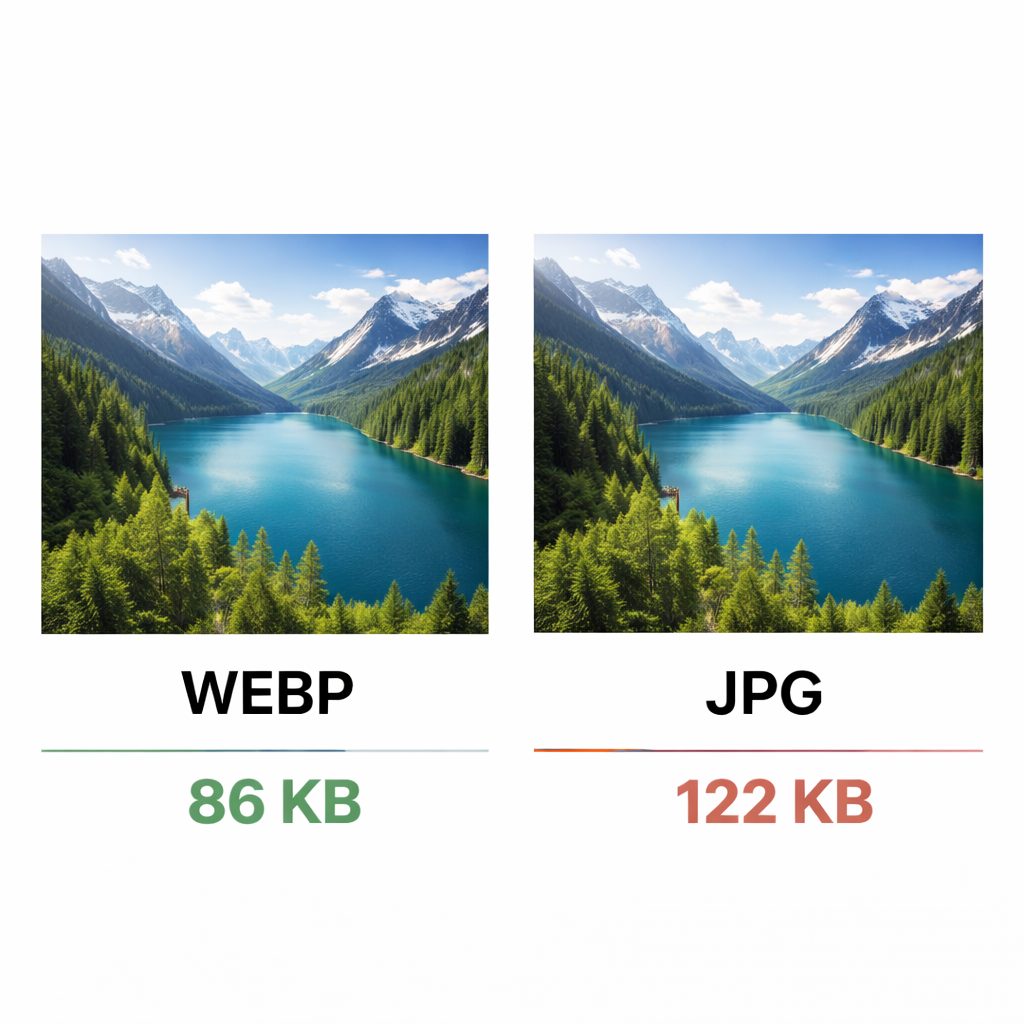
WebP typically provides 25 to 34% smaller file sizes compared to JPG images, without sacrificing noticeable image quality. This means your website can load faster, saving you both bandwidth and space on your server. For websites that rely on high-resolution images, using WebP can make a noticeable difference in page speed.
Browser Support and Compatibility
One concern many people have when considering switching to WebP is browser support. While WebP is supported by most modern browsers (like Google Chrome, Firefox, Microsoft Edge, and Opera), it’s still not fully supported by Internet Explorer or older versions of Safari. However, since most users now operate on modern browsers, the gap is narrowing.
To ensure your images display correctly across all browsers, you can implement WebP with a JPG fallback using the <picture> HTML element. This way, browsers that support WebP will load the WebP image, and others will fall back to the JPG version.
Impact of Image Formats on Website Performance
Website performance directly impacts SEO rankings and user experience. Page load speed is a crucial factor in determining whether users stay on your site or bounce off. A slower website leads to higher bounce rates and poor user engagement, ultimately hurting your SEO.
Here’s where WebP has a clear edge. Due to its superior compression techniques, WebP images are often smaller, which results in faster load times. Websites with optimized images perform better in Core Web Vitals metrics, a set of key performance indicators used by Google to assess site quality.
For example, WebP can improve Largest Contentful Paint (LCP), which measures how quickly the main content of a page loads, and First Input Delay (FID), which gauges the user’s first interaction with a page.
Best Use Cases for WebP and JPG
Both formats have their ideal use cases, and understanding when to use which format is crucial for site optimization:
When to Choose WebP:
- Websites focused on speed optimization (e.g., blogs, news sites, e-commerce).
- Mobile-first websites: WebP is great for mobile web optimization, ensuring faster page loads on smaller devices.
- E-commerce websites: Smaller images with no visible loss in quality lead to faster loading times, improving conversion rates.
When to Stick with JPG:
- For photography and images that require maximum detail and quality, such as high-end portfolio websites.
- Sites that need universal compatibility, especially if a large portion of your audience uses older browsers.
SEO Optimization with WebP and JPG
Optimizing your images for SEO involves more than just choosing the right file format. It also requires correct alt text, image file names, and image sitemaps. When using WebP, ensure that your image alt tags are descriptive and optimized for your target keywords.
WebP also contributes to image SEO by reducing page load times and improving user experience, both of which are ranking factors for Google. Consider integrating WebP into e-commerce websites for a more responsive and SEO-friendly user experience.
How to Convert JPG to WebP
Switching to WebP may seem like a daunting task, but it doesn’t have to be. There are several ways to convert JPG to WebP, including using online tools or image editing software like Photoshop or GIMP.
For those running WordPress, there are plugins like WebP Express and EWWW Image Optimizer that automatically convert uploaded images into WebP format. You can even set it up so that JPG images are converted upon upload, ensuring your site stays optimized without manual intervention.
Tools and Plugins for WebP Image Conversion and Implementation
For a smooth transition to WebP, there are numerous tools and plugins available for both WordPress and non-WordPress sites:
- WebP Express (WordPress plugin) – Converts images automatically as they are uploaded.
- TinyPNG and Squoosh (online image compressors) – Both offer WebP conversion capabilities.
- ImageOptim (Mac) and FileOptimizer (Windows) – Tools for manual image optimization.
These tools make it easy to ensure your website loads quickly without compromising image quality.
Conclusion: Choosing the Right Image Format for Your Website
When deciding between WebP and JPG, it ultimately depends on your specific use case. WebP is the ideal choice for website performance and mobile optimization, offering faster load times and smaller file sizes without compromising quality. JPG, on the other hand, remains a solid option for photography-heavy websites and those requiring maximum compatibility across all browsers.
In the end, the most effective strategy for optimizing your website is often a mix of both formats. By using WebP for modern browsers and JPG as a fallback for older browsers, you can strike a balance between WebP vs JPG to ensure maximum performance and a seamless user experience across all devices.